
Key takeaways
Accounting practice management software centralizes workflows, client communication, billing, and compliance tasks into a single platform, helping firms reduce manual work and improve operational efficiency.
True practice management platforms differ from general-use project management tools by offering accounting-specific features such as client portals, tax workflow templates, and compliance tracking.
8am™ CPACharge complements any practice management platform as a dedicated payment layer for compliant credit card, debit, and eCheck processing, while your project management software handles workflows and client relationships.
Managing an accounting practice without the right software is like preparing tax returns with a calculator and paper forms—technically possible, but painfully inefficient.
When your team spends hours on manual task assignment, invoice follow-up, and deadline tracking, they're not providing the strategic advisory services that command premium fees. For 95% of accountants, technology is already helping reduce time spent on compliance tasks while creating capacity for higher-value work.
This guide evaluates four practice management platforms designed specifically for accounting firms, rather than general project management tools adapted for accounting workflows. You'll learn which options are the best fit for tax-heavy practices versus CAS-focused firms, how to evaluate integration with your existing tech stack, and why purpose-built accounting software delivers features that Asana, Monday.com, and other generalized platforms simply can't match.
What is accounting practice management software?
Accounting practice management software is built to support the day-to-day operations of accounting firms, centralizing workflows for task management, scheduling, client communication, and billing within one platform. By consolidating these functions, firms can improve efficiency and minimize manual work.
It's important to distinguish accounting-focused practice management platforms from task management tools built for general business use:
General-use task management tools (Asana, Monday.com, Trello):
Track tasks and deadlines across projects
Assign work to team members
Send reminders when deadlines approach
Provide basic collaboration features
Purpose-built accounting practice management platforms:
Include all task management capabilities above, plus:
Client portals for secure document exchange
Tax deadline tracking with IRS due dates and extension deadlines
Compliance workflows with audit trails and version control
Accounting-specific workflow templates (tax season, quarterly reviews, year-end close)
Native billing and time tracking integration
Client relationship management is tied to engagement history
A typical accounting practice management workflow might look like this: A client uploads a document to the portal, prompting the system to assign review tasks, send deadline reminders, track version history, and update engagement status, all in one place. General-use software often requires separate tools or integrations to support all of these steps.
Why accounting firms need dedicated practice management software
Non-specialized project management tools like Asana, Monday.com, and Trello can help teams track tasks, but they are not designed for accounting workflows.Many of these platforms do not include integrated client portals for secure document exchange, which can require firms to use separate file-sharing tools that create friction for clients. They may also lack detailed audit trails and version controls, which can make it difficult to ensure compliance and demonstrate proper review procedures during audits.
Purpose-built practice management software offers accounting-specific features that non-specialized platforms simply can't match. From client portals and compliance tracking to tax workflow templates and native billing integration, these solutions are designed around the unique needs of accounting practices rather than all-purpose business workflows.
Top 4 accounting firm practice management software options
The four platforms below support a wide range of firm sizes, services, and technology ecosystems, giving you a number of options to consider as you evaluate the best fit for your practice.
Platform | Best for | Key strengths |
Qount | Tax and accounting firms needing unified practice management, billing, payments | Unified practice management, billing, payments, workflows, reporting, and AI insights |
TPS Software | Tax-focused firms needing comprehensive tax practice management | Tax-centric workflows; tax software integrations |
Wolters Kluwer CCH Axcess Practice | Large firms already using CCH tax software | Enterprise CCH integration; governance and reporting |
Firm360 | Small to midsize firms seeking unified operations | Integrated workflows, billing, scheduling, client communication |
1. Qount
Best for: Tax and accounting firms seeking all-in-one practice management software that includes connected billing, workflows, CRM, document management, client collaboration, and AI features.
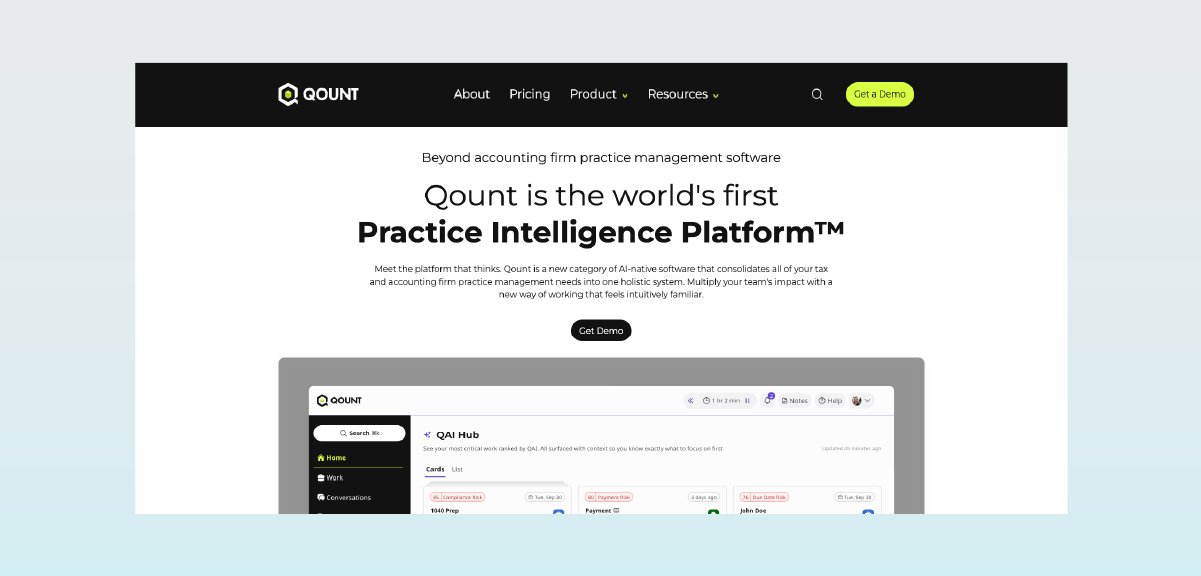
Qount brings together time and billing, workflow management, CRM, document management, client collaboration, reporting, and AI-powered insights in one connected practice management platform for tax and accounting firms. By consolidating these functions into a single system, Qount helps firms reduce tool sprawl, improve visibility across the practice, and manage work, billing, and client activity more efficiently.
Key features:
Time tracking, billing, invoicing, and payment workflows
Workflow automation with task management and deadline tracking
CRM and client management with engagement visibility
Document management with secure client file storage and sharing
Client collaboration tools to streamline communication and requests
Reporting and visibility across firm operations and performance
AI-powered insights to help surface issues, bottlenecks, and opportunities earlier
Multi-entity support for firms with more complex business structures
Firms adopting Qount have reported significant efficiency gains, such as reducing month-end billing time from eight hours to just 10 minutes.
CPACharge integration: Connect Qount with CPACharge for seamless payment processing and three-way reconciliation.
2. Wolters Kluwer CCH Axcess Practice
Best for: Large firms already using CCH tax software seeking integrated practice management
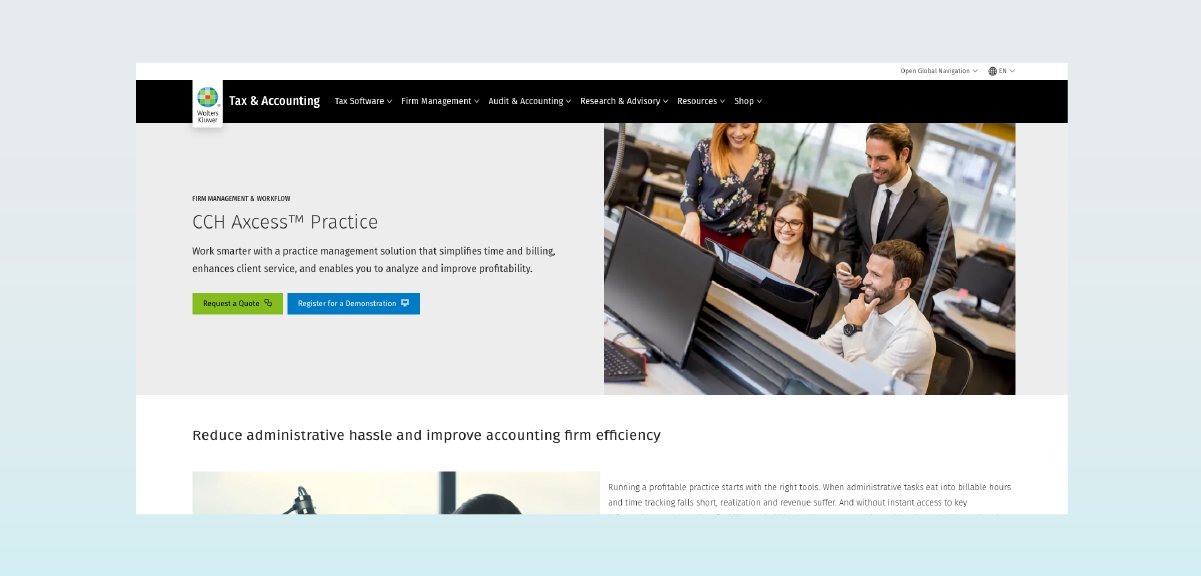
CCH Axcess Practice is practice management software built around a centralized client database that helps accounting professionals serve their clients and manage their practice in the same environment. The platform is part of the Wolters Kluwer CCH ecosystem, making it ideal for mid-sized to large accounting firms already invested in CCH products.
Key features:
Centralize all client information in a single, secure location for greater accuracy and easier access.
Workflow automation with tax season templates and deadline tracking
Document management with CCH ProSystem fx Document integration
Time and billing with realization tracking and profitability analysis
Staff scheduling and resource allocation tools
Secure document sharing within your office and with your clients via a customizable portal
Advanced reporting and analytics with customizable dashboards
CCH Axcess Practice stands out for its deep specialization in accounting and tax practices. Unlike general-use project management tools, it offers compliance-focused modules specifically tailored for financial professionals.
CPACharge integration: Connect CCH Axcess Practice with CPACharge for streamlined payment processing within your Wolters Kluwer environment.
3. TPS Software
Best for: Tax-focused firms needing comprehensive tax practice management and compliance tools
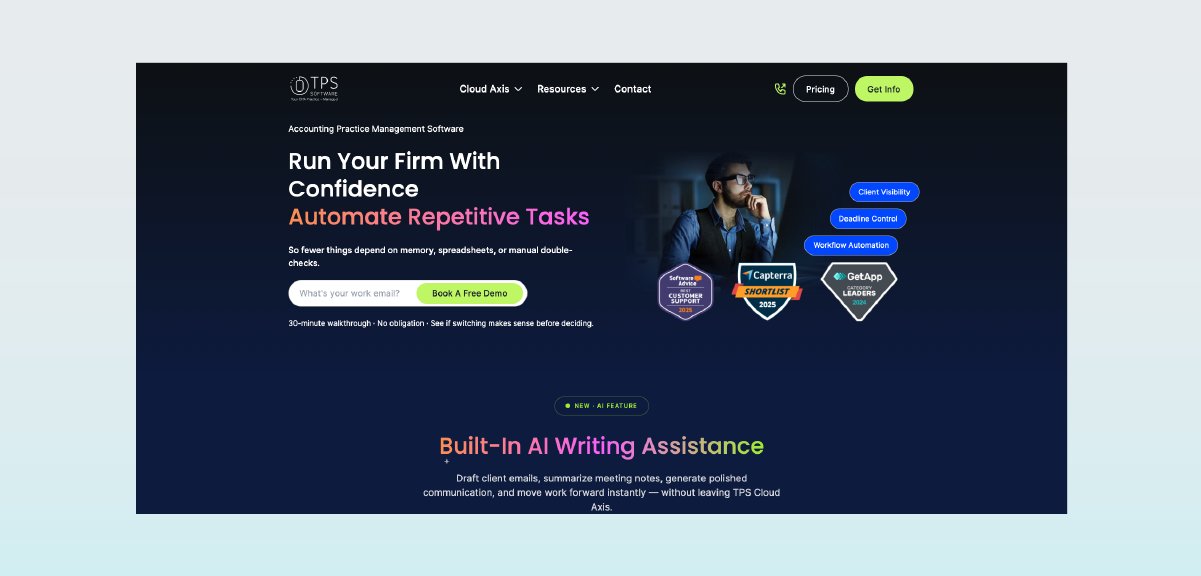
TPS Software is an intelligent, intuitive practice management solution for accountants that makes it easy to track time, streamline billing, boost productivity, and serve your clients well. This tax-centric platform offers compliance and workflow capabilities and integrates with major tax preparation software.
Key features:
Tax workflow automation with season-specific templates and deadline management
Flexible payments via Stripe, PayPal, PayClix, Clover Connect, and CPACharge
Email and calendar integration, including Microsoft Outlook and Gmail, plus e-signatures with DocuSign and TPS eSign
Client portal with document requests and secure file exchange
Document management with tax return organization and archiving
Time tracking and billing with tax-specific billing codes
Compliance calendar with IRS deadline tracking and alerts
TPS Cloud Axis takes care of all firm needs with invoicing, time tracking, workflow due date tracking, employee time management, and billing.
CPACharge integration: Connect TPS with CPACharge for integrated payment processing within your tax workflows.

4. Firm360
Best for: Accounting firms seeking an all-in-one cloud-based practice management solution
Firm360 is a cloud-based practice management platform designed for accounting firms. It combines workflow management, document storage, time tracking, billing, and client communication in a single system, helping firms keep work organized and visible across teams.
Key features:
Workflow management with customizable templates and task tracking
Document management with centralized storage and version control
Client portal for secure file sharing and communication
Time tracking and billing with WIP visibility
Staff scheduling and workload management
Integrated e-signatures for document approval
Firm360 is built as a standalone solution, allowing firms to manage operations without relying on multiple disconnected tools. Its cloud-based structure supports remote access and real-time collaboration across teams.
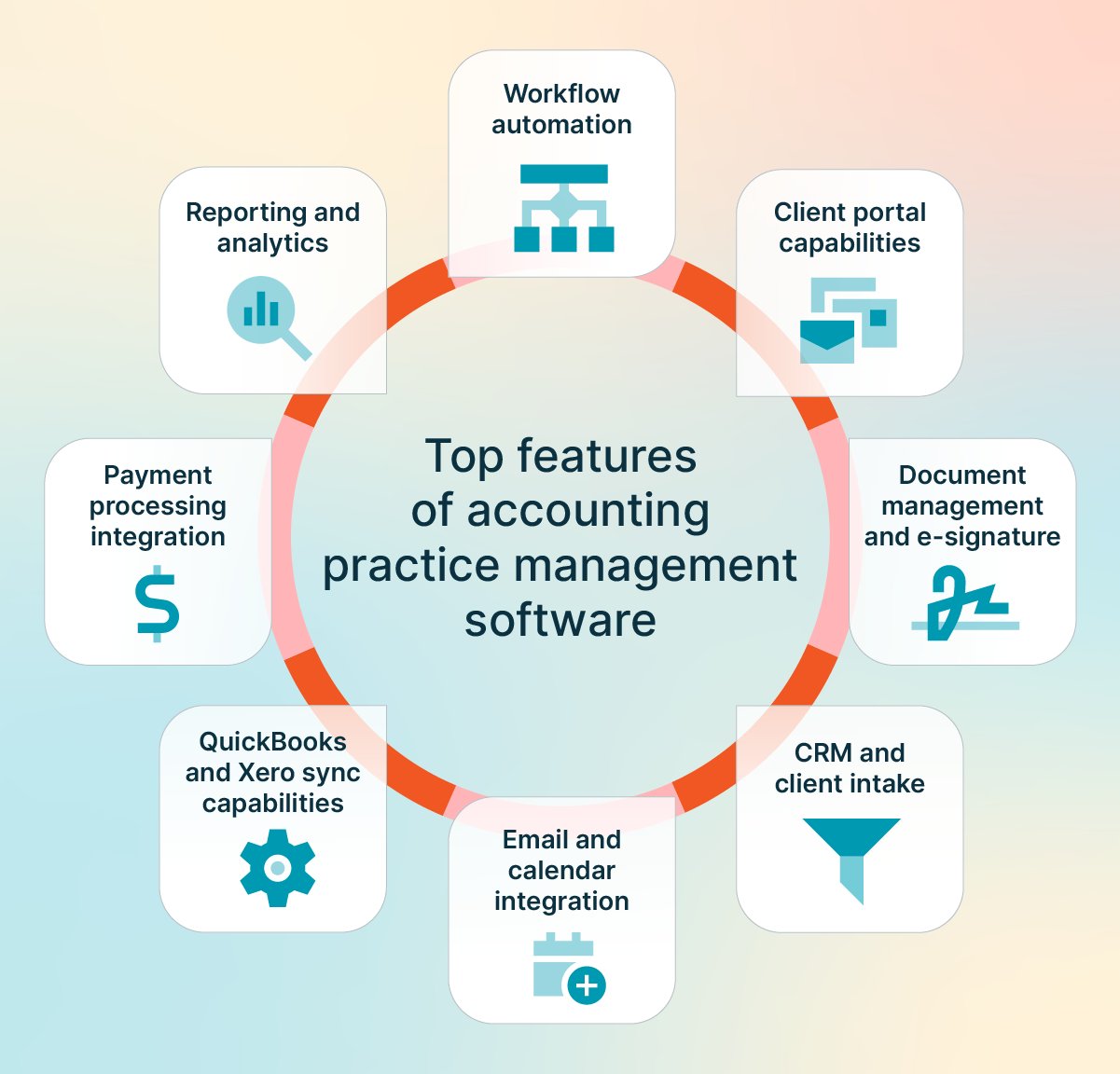
Top features of accounting practice management software
When evaluating practice management platforms, consider these key feature categories as your evaluation framework:
Workflow automation: Look for platforms that automate task assignment, deadline reminders, and status updates. Data that typically syncs includes task completion status, due dates, and assignee information. Common failure points include time zone mismatches and inconsistent date formatting between systems. Qount and CCH Axcess Practice generally excel in accounting workflow automation.
Client portal capabilities: Evaluate secure document exchange, client messaging, and self-service features. Bidirectional sync should include document upload notifications, message threads, and signature status. Watch for duplicate client IDs when syncing between your PM platform and accounting software. TPS Software and CCH Axcess Practice offer robust portal features.
Document management and e-signature: Assess version control, audit trails, and integrated e-signature workflows. Key sync data includes document versions, signature timestamps, and reviewer approvals. Integration failures often occur due to mismatches in file naming conventions. CCH Axcess Practice and Firm360 provide strong document management.
CRM/client intake: Review contact management, engagement tracking, and onboarding automation. Client records, engagement history, and contact details should sync bidirectionally. Duplicate client records are a common integration challenge. Qount and SmartPath excel in client intake automation.
Email/calendar integration: Check for Microsoft 365 and Google Workspace connectivity. Email threads, calendar events, and meeting notes should sync to client records. Time zone and recurring event handling are frequent failure points. TPS Software offers strong email and calendar integration.
QuickBooks/Xero sync capabilities: Evaluate invoice sync, payment status updates, and chart of accounts mapping. Invoices, payments, and client balances should flow bidirectionally. Mismatched chart of accounts and duplicate invoices are common issues. Qount provides native accounting integration that reduces these sync challenges.
Payment processing integration: Look for native payment acceptance or integration with processors like CPACharge. Payment status, transaction IDs, and reconciliation data should sync automatically. Failed payment notifications and partial payment handling require attention.
Reporting and analytics: Evaluate dashboard customization, profitability analysis, and KPI tracking. Report data should pull from all integrated systems for accurate insights. Data lag and inconsistent reporting periods can affect accuracy. CCH Axcess Practice and Firm360 offer advanced reporting capabilities.
Engagement letter management: Review tools for creating, sending, and tracking engagement letters with built-in templates and e-signature support. Key sync data includes client details, service scope, fee terms, and signature status. Common issues include version control gaps and mismatched client records across systems. Platforms like Qount and Firm360 support integrated engagement workflows.
How to choose the right practice management software for your firm
The right practice management platform depends on your firm's size, service mix, and existing technology ecosystem. Use the framework below to match platform capabilities to your operational needs.
Solo practitioners / 1–5 staff: Prioritize fast setup, minimal admin overhead, and affordable pricing. Focus on essential features: client management, basic workflow tracking, and integrated billing.
Growing firms (5–50 staff): Standardization and capacity planning are critical. Look for platforms like Qount or TPS Software that offer workflow templates, team assignment features, and workload visibility. You'll need consistent processes across team members and the ability to track utilization.
Multi-team firms (50+ staff): Governance, advanced reporting, and role-based permissions are essential. CCH Axcess Practice and Firm360 provide enterprise-grade features, including multi-office support, detailed analytics, and compliance tracking across departments.
Tax-heavy firms: Prioritize platforms with tax-specific workflow templates, IRS deadline tracking, and integration with your tax preparation software. TPS Software and CCH Axcess Practice offer deep tax workflow capabilities.
CAS/bookkeeping-focused firms: Look for strong accounting software integration, recurring task automation, and client portal features for ongoing document exchange. Qount's integrated accounting engine makes it well-suited for this service mix.
Advisory-first firms: Prioritize pricing tools, proposal automation, and client communication features.
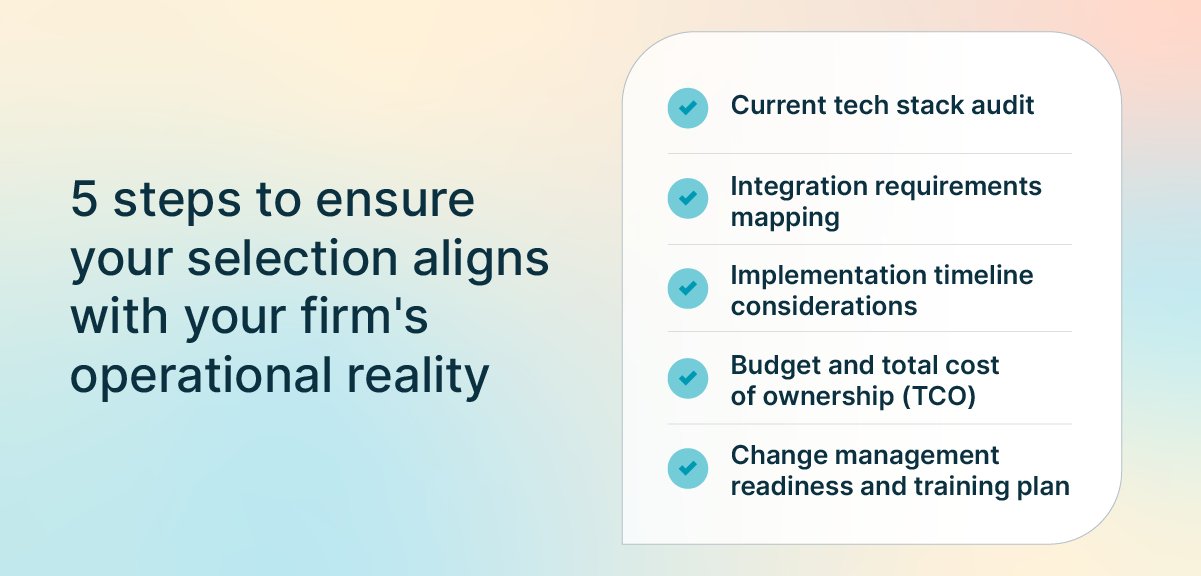
Decision framework checklist
Before committing to a platform, work through these five evaluation steps to ensure your selection aligns with your firm's needs:
Current tech stack audit: Document every tool your firm currently uses for client management, workflow, billing, document storage, and communication. Identify redundancies and gaps before evaluating new platforms.
Integration requirements mapping: List your must-have integrations (tax software, accounting software, email, calendar) and verify compatibility with each platform you're considering. Check whether integrations are native or require third-party connectors.
Implementation timeline considerations: Assess your firm's capacity for change. Tax season is rarely the right time for a major platform migration. Plan for two to four weeks of setup and training for most platforms, longer for enterprise solutions.
Budget and total cost of ownership (TCO): Calculate beyond monthly subscription fees. Include implementation costs, training time, data migration, and any per-user or per-feature add-ons. Some platforms charge separately for client portals, e-signatures, or advanced reporting.
Change management readiness and training plan: Evaluate your team's appetite for change and plan accordingly. Identify internal champions who can support adoption. Budget time for training sessions and expect a productivity dip during the transition period.
Enhance billing and payment processing with 8am CPACharge
Selecting the right practice management platform requires evaluating your firm's operational needs beyond just software features. Consider how your team currently manages client workflows, where bottlenecks occur, and which manual processes consume the most time. Your decision should account for your service mix, existing technology ecosystem, firm size, and growth trajectory.
While practice management software centralizes workflows and client communication, it doesn't eliminate the need for specialized tools in critical areas like compliant payment processing—where accounting-specific requirements demand purpose-built solutions.
CPACharge complements any practice management platform you choose by handling what PM software wasn't built for: compliant credit card, debit, and eCheck processing with three-way reconciliation. Store client payment methods securely for recurring billing, accept payments directly from invoices, and benefit from rates negotiated specifically for accounting professionals.
CPACharge integrates with Qount, TPS Software, CCH Axcess Practice, and other platforms, syncing payment data automatically while your PM software manages workflows and client relationships.
Schedule a demo to see how CPACharge creates a complete operational foundation alongside your practice management platform, letting you focus on client work instead of payment follow-up.
About the author
Rob Heidrick is a Senior Content Strategist for 8am, a leading professional business solution. He covers the latest advancements in legal technology, financial wellness for law firms, and key industry trends.